

Mileage Logbook 2.0.7: A leap forward in Low Power Mode and Manual Tracking
As of January 8th, 2024, Mileage Logbook proudly presents its latest version, 2.0.7, marking a significant milestone in the realm of mileage tracking apps. This update addresses rare issues, particularly in the Low Power Mode feature, and introduces notable improvements to the Manual Recording mode.
Fine-Tuning with version 2.0.7
Mileage Logbook has diligently worked to refine user experience and address rare glitches in the 2.0.7 release. Notably, improvements have been made to the app's performance, particularly in the often-overlooked Low Power Mode feature, ensuring a seamless experience for users under various conditions.
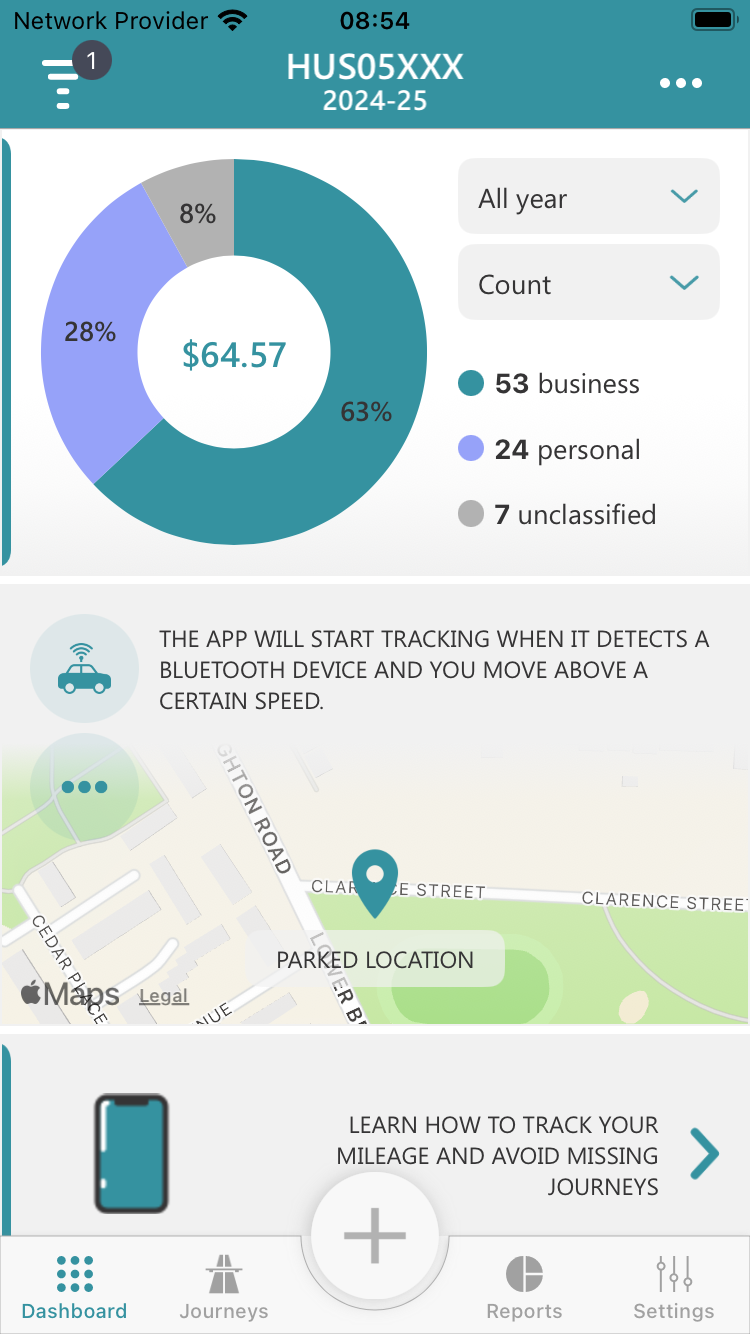
There is one fact that the app's auto tracking modes, Motion & Fitness and Automatic Bluetooth, remain the preferred choices among users. These features work seamlessly with no issues, leading the way for an effortless tracking experience.
In the latest 2.0.7 release, Mileage Logbook not only addresses rare glitches but also continues to prioritize user satisfaction, making every journey a seamless and reliable experience in auto tracking modes.
Manual Recording mode unveiled
Despite the prevalence of auto tracking, Mileage Logbook offers an alternative with its Manual Recording mode, catering to users who prefer a more hands-on approach. You might wonder:
If I am going to manually record, why do I need a mileage tracker app?
Well, there is indeed a considerable difference. While the idea of manually tracking mileage may initially seem burdensome, the reality is far from the traditional pen-and-paper process. There is indeed a considerable difference. Imagine the steps involved in recording your journey data manually:
- Retrieve a pen and note your odometer reading, documenting it on the paper.
- Record the current time on the same row.
- Commence your drive and, upon reaching your destination, log the ending odometer reading on the same row.
- Once again, note the time and add it to the same row on your paper.
- Calculate the difference between the initial and final odometer readings, performing basic math in a span of 2-5 seconds.
- Utilize Google or Apple Maps to determine the start and end addresses of your journey, investing an additional 30-50 seconds in the process.
Repeat these meticulous steps for each journey, ensuring the manual logbook's safety and cleanliness for future reference. Contrastingly, with Mileage Logbook, a simple tap on the start/stop buttons is all it takes. The app automatically calculates distances, updates mileage reports after every completed journey, and even computes total mileage reimbursement – all achieved with just a single start and stop. Save time, effort, and the hassle of manual documentation with Mileage Logbook's user-friendly approach.
Conclusion
Mileage Logbook 2.0.7 stands as a testament to the commitment of delivering a top-notch mileage tracking experience. Now with an improved Manual Recording mode, users have the flexibility to choose the tracking method that best aligns with their preferences. Explore the latest update today and share your valuable feedback to be a part of the app's ongoing journey towards excellence.
Mileage Logbook welcomes user feedback, whether through social media channels or direct emails, to continuously refine and enhance the user experience.